The AI characters that took off on TikTok this autumn have one thing in common. Nobody talks. A strange-looking person does something ordinary, in a real place, with a trending sound under it. You watch it twice because you are not sure it is real.
I spent the last two weeks building one of these from scratch, then turning the process into a tool. This post is the process. You can follow it with nothing but API keys and a phone. At the end I show the studio we built so you don't have to. If you want the short checklist version, it's at productclank.com/ai-creators/how-to-diy.
Five rules
Odd hair, one signature outfit, one trait people argue about in the comments. Bold or extreme, never average. An original, never a copy of a hit.
A real person does the move. A model replaces the person with the character, so the movement stays human. That is what makes it believable.
The sound is a trending sound, picked inside the TikTok app when you post.
Most clips stay small. A few carry the account. Plan for several a day.
The bio says it, every caption says it, and the platform's AI label is on. The doubt lives in the look, never in the label.
Cast it. Lock it. Swap it. Post it. Read the numbers.
What you need
Cast the character
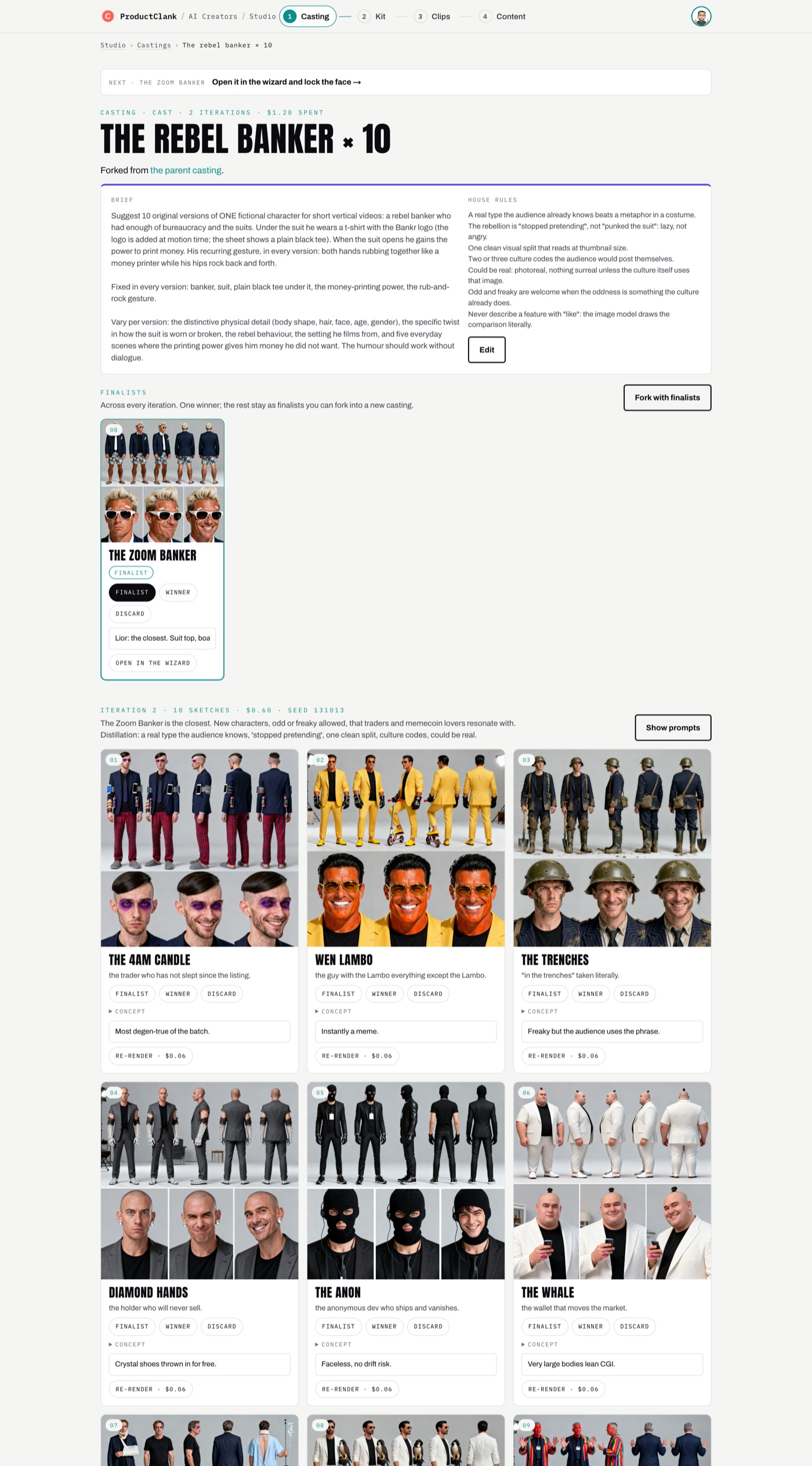
Don't design one character. Generate ten, look at them side by side, keep the best two or three, and run again with one line of feedback. The loop is the work.
Start with a short brief: what stays the same in every version (who they are, what they wear, one recurring gesture, what the joke is about). Then give the concept writer house rules. These held up across our castings:
• A real type the audience already knows beats a metaphor in a costume.
• The rebellion is "stopped pretending", lazy rather than angry.
• One clean visual split that reads at thumbnail size.
• Two or three culture codes the audience would post themselves.
• Could be real. Odd is fine when the culture already does that oddness.
• Never describe a feature with "like". Ask for "eyebrows like wings" and you get wings.
Ask the LLM for ten concepts. Each gets a name, physical traits, an outfit, a gesture, five everyday scenes and a short identity prompt. Then render each one as a turnaround sheet: five full-body views on top, three close-ups below, plain grey background. Use fal-ai/bytedance/seedream/v4/text-to-image at 2048×2048 and open the prompt like this:
Editorial photograph, real human being, shot on a Hasselblad with hard studio flash,
real skin texture and pores. Character design reference sheet of one fictional character.
Top row: five full-body views standing side by side on a plain light grey seamless studio
background: front view, three-quarter view, side profile, three-quarter back view, back view.
Bottom row: three head-and-shoulders close-ups with different expressions. The same person
wearing the same outfit in every single panel. No scene, no props beyond what is listed,
absolutely no text. CHARACTER: …
Put cartoon, 3D render, CGI, Pixar, doll, figurine, plastic skin, text, watermark, different people, changing outfit in the negative prompt. Without the "real human being" opening and those negatives, pushed features drift into Pixar faces. Save the seed of every sheet so you can reproduce a winner. And never mention a "phone" in an image prompt: the model draws a phone mockup around the person.
Lock the identity
Pick the winner and freeze it. From here on, a different face is a new version of the character, never an edit.
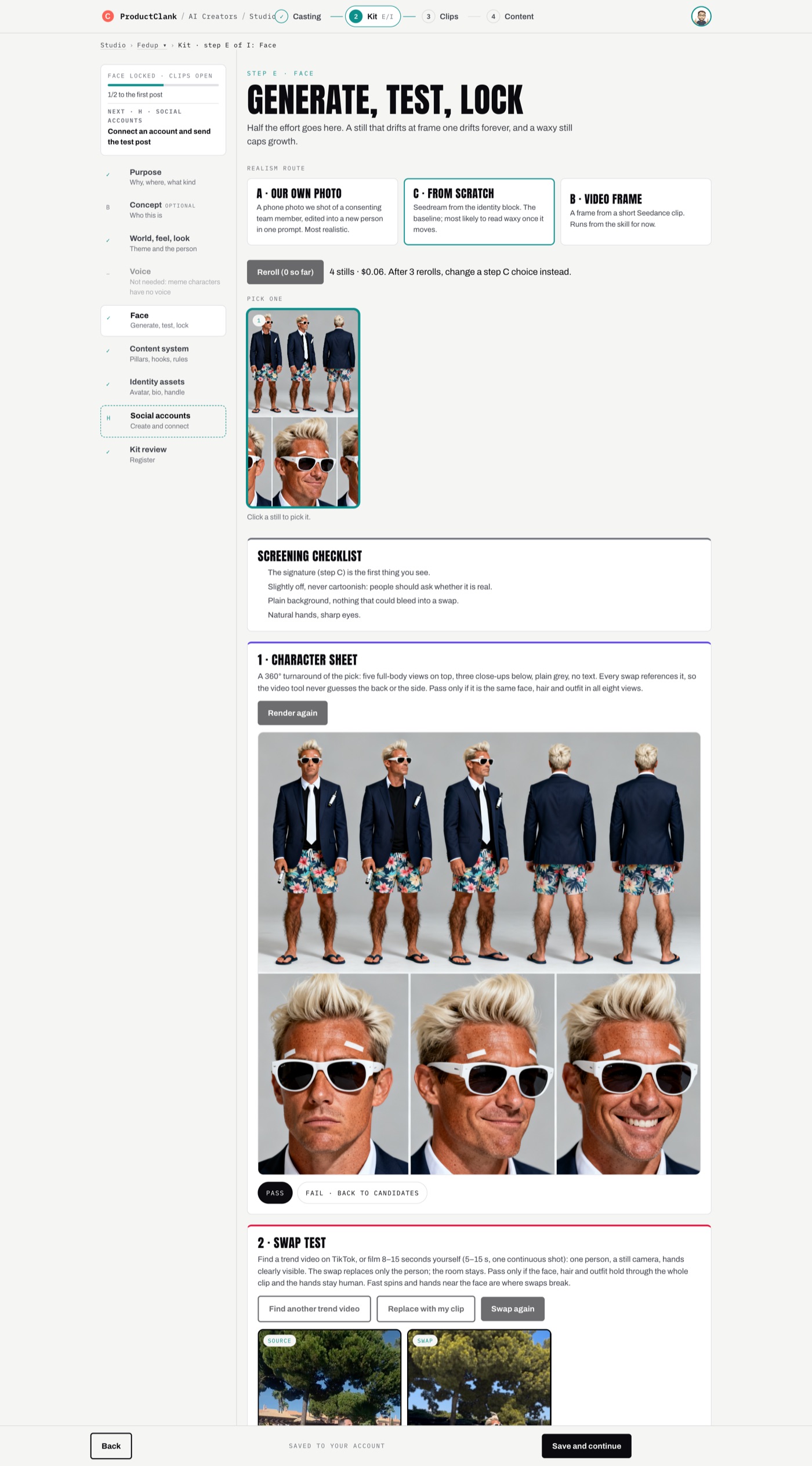
Under 80 words, pasted byte for byte into every later prompt. Ours: "A man in his thirties with a deep tan and white sunglass marks, wraparound sunglasses, a bleached blond quiff, a vape in the breast pocket. Navy suit jacket, white shirt and tie on top; floral board shorts, hairy shins and flip-flops below."
Show the portrait to three people for one second. If all three name the same detail, that is your signature. If they say "some guy", go back to casting.
Crop the front full-body view out of the sheet. The swap model takes one reference photo per person, and this is it.
Same face, hair and outfit in all eight panels. If anything drifts, re-render with a new seed.
Test the swap before you make anything
A face that holds in a still can fall apart in motion. Test it on real footage before you plan a single post.
Get a 5 to 15 second clip. Film it yourself: phone fixed at chest height, two to three metres away, head and upper body in frame the whole time, plain clothes, nothing recognisable behind you, no close-ups of your hands, one continuous shot. Or use a trending TikTok clip of one person and credit its creator in your caption. Your own footage carries no copyright risk; someone else's does.
Upload it somewhere public and send it to MiniMax H3 recast with the front crop:
POST https://queue.fal.run/minimax/h3-max/recast
Authorization: Key $FAL_KEY

{
  "video_url": "https://…/clip.mp4",
  "reference_image_urls": ["https://…/front-crop.jpg"],
  "resolution": "768P"
}
You get back a status URL. Poll it until the job completes (about five minutes), read video.url from the result, and copy the file into your own storage. Recast replaces only the person. The room stays.
Watch it frame by frame: face, hair, outfit, hands. Refused and failed renders cost nothing, and the reason tells you what to fix. "No complete upper body" means step back. "Too long" means trim: recast refuses any single shot over 15 seconds. We tried three other models on the same 12.6-second clip. Higgsfield Genjutsu refused it twice with no reason given. Wan 2.2 came out soft and washed out after 26 minutes. Kling v3 does something different, which is the trick in step 6.
Plan the content
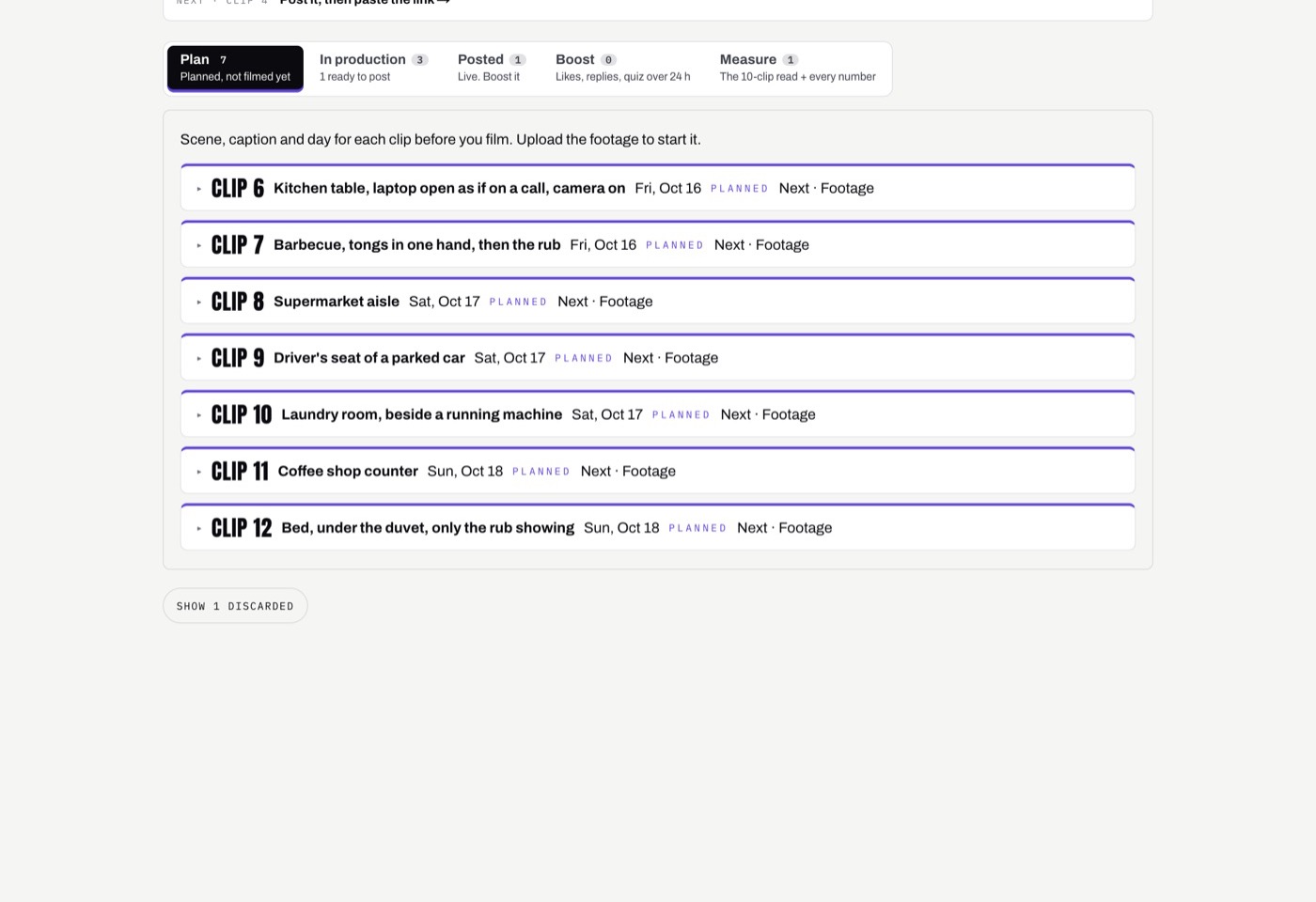
Write down at least three scenes you can film for free, today. Ours: a kitchen table with a laptop open as if on a call, a barbecue, a supermarket aisle, the driver's seat of a parked car. Every clip ends on the signature gesture. Give each one a date and a one-line caption.
Pick a cadence. The characters that broke out posted five or more clips a day at the start. We start at three. Write one disclosure line and use it everywhere. Ours is AI creator · made by ProductClank.
Set up the accounts
Give the character its own email before anything else. Every sign-up and every verification code goes there. A new Gmail works. A catch-all address on your own domain scales better if you run more than one character.
• Create each account by hand. No platform lets an app create one for you. Expect a phone check on most of them.
• Turn the AI label on. TikTok: More options, "AI-generated content". Instagram: Advanced settings, "AI info". X and LinkedIn have no toggle, so the disclosure line in the text is the label.
• Keep TikTok personal or creator. A business account only gets the commercial music library, which rules out most trending sounds.
• Bio under 160 characters, with the disclosure line. Ours: "Suit on top, board shorts below. Runs the bank from a sunlounger since 2020. Rub to print."
Make each clip
This is the daily loop, with two paths. Keep the room you filmed: recast the clip as in step 3, take two to four takes, keep the best. Or put the character somewhere new: build a still of the character in the new place and let Kling move it with your footage.
Kling follows the still's framing, not the video's. A still taken from the middle of a clip put our character half out of frame. Trim the clip so its first frame is centred and facing the camera.
Use fal-ai/bytedance/seedream/v4/edit. Image 1 is frame 0 (camera and pose only). Images 2 and 3 are photoreal references of the character, such as a frame from a passed swap and a headshot (the person only). Add the setting, real skin, muted colours, no text. Use photos, not the sheet: a drawn sheet makes the model draw the whole scene.
Kling v3 motion control takes the still and your clip and moves the character exactly like you moved.
POST https://queue.fal.run/fal-ai/kling-video/v3/pro/motion-control

{
  "image_url": "https://…/scene-still.jpg",
  "video_url": "https://…/clip.mp4",
  "character_orientation": "video",
  "keep_original_sound": false,
  "prompt": "The man from the image performs exactly the movements from the reference video,
             in this setting: a beach, standing on a towel. Realistic phone video, natural skin,
             natural hands, no text."
}
Each take lands in three to six minutes. Cap yourself at four takes per clip. Past that you are paying to avoid re-filming.
Post from the phone
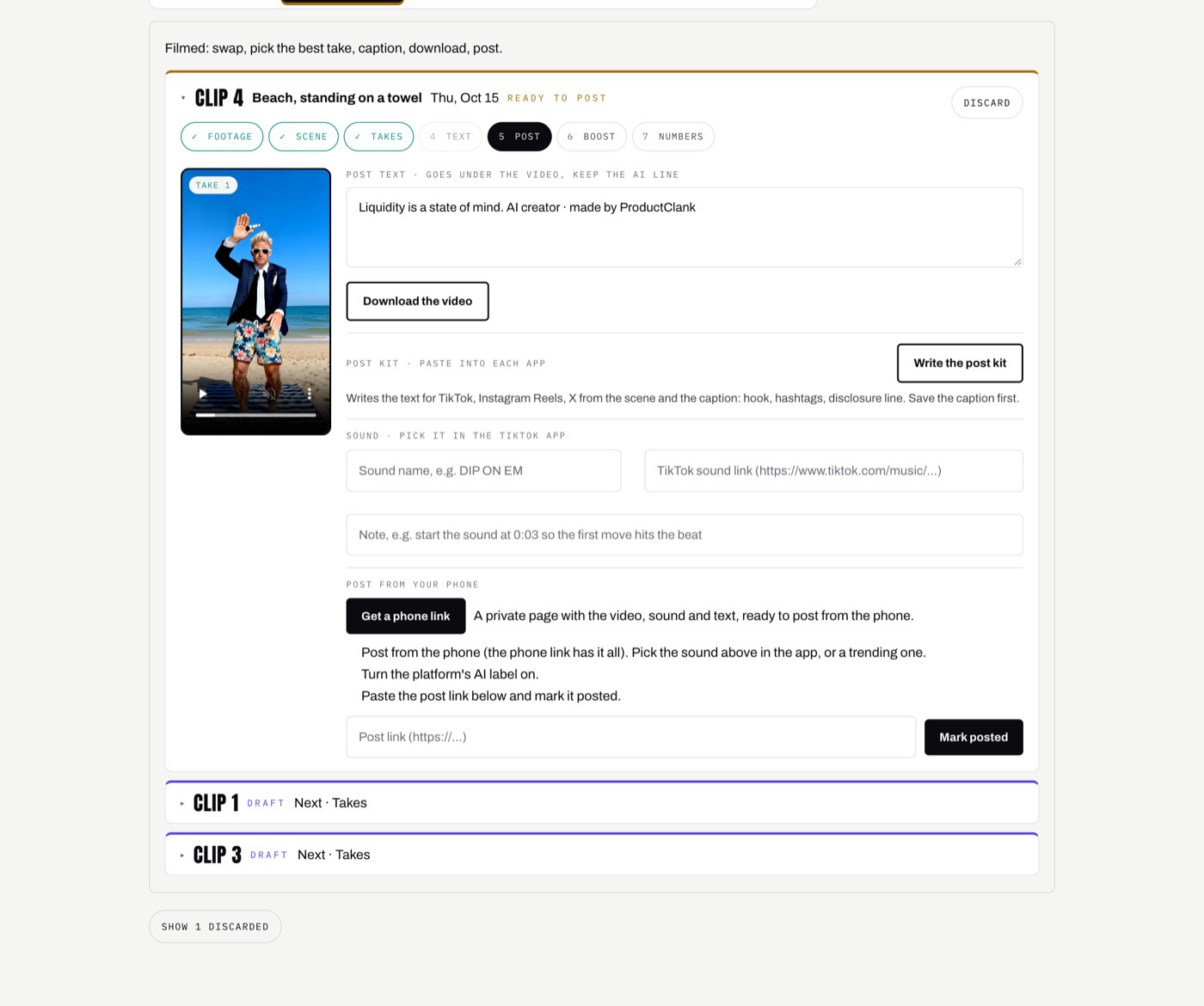
Write one text per platform. Keep the joke, make the first line earn the watch (there is no on-screen text to do it), end with the disclosure line, and put hashtags last: three to five on TikTok, five to eight on Reels, none on X. Keep money jokes as satire. Never imply returns or give anything that reads as financial advice.
Then post from the phone, and pick the trending sound inside the app. Don't burn a commercial song into the file: the video gets muted, and it doesn't count toward the sound's trend. Turn the AI label on. Copy the post link back into your sheet.
Read the numbers
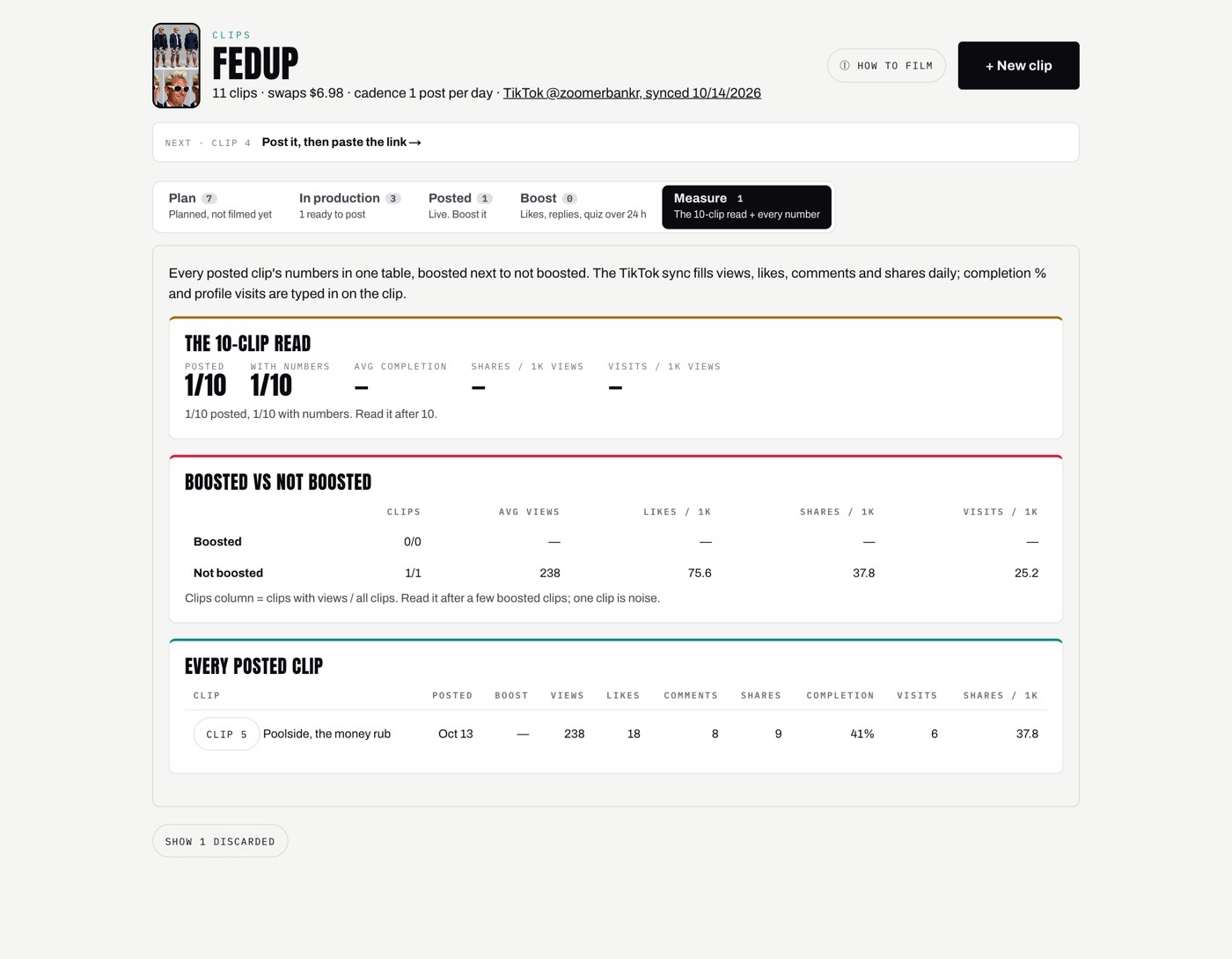
Log each clip 48 hours after it goes up: views, shares, completion rate, profile visits. Views and shares are public. Completion and profile visits only exist in the creator's own TikTok analytics, so you type those in.
After ten posted clips, do the read. Count shares per 1,000 views and profile visits per 1,000 views. Shares mean people showed it to someone. Visits mean they wanted more. If both are dead (we use under 2 shares and under 5 visits per 1,000 views as a starting line), change the character. Re-editing the same character rarely fixes it.
A token, if you want one
A character can have a token whose trading fees pay for its content. The simplest path on Base is Bankr: post @bankrbot deploy from the character's X account, or run bankr launch --chain base once. Bankr covers the deploy gas within its daily limits. The fees go to one wallet you set at launch.
Be realistic about the numbers. The creator's share works out to well under 1% of trading volume, so covering a few hundred dollars of renders a month takes tens of thousands in monthly volume. Treat it as a subsidy and a community, not the budget. And wait for an audience first: a token launched on day zero gets one spike and then nothing.
What it costs
Setup is cheap: one casting round is $0.63, a sheet re-render $0.06, a swap test $3 to $4.50. Call it $5 to $10. The monthly bill is almost entirely the swap model, billed per rendered second.
Our first rendered clips came in at about $2.13 each on a single take. The fastest way to cut the bill is to film better: one good take beats four rescued ones. The cost that isn't in the table is your time. Filming three clips a day is the real job.
Where it gets tedious
Every step above works by hand. Four of them eat the time:
Ten images per round, a list of finalists, feedback pasted back with every earlier verdict, again and again.
Upload, wait five minutes, watch, re-film when a model refuses for a reason you have to decode.
Model output links expire. Every still, sheet and take has to be copied somewhere and matched to its clip.
Opening every post's analytics two days later and copying the numbers into a sheet.
So we built a studio for it
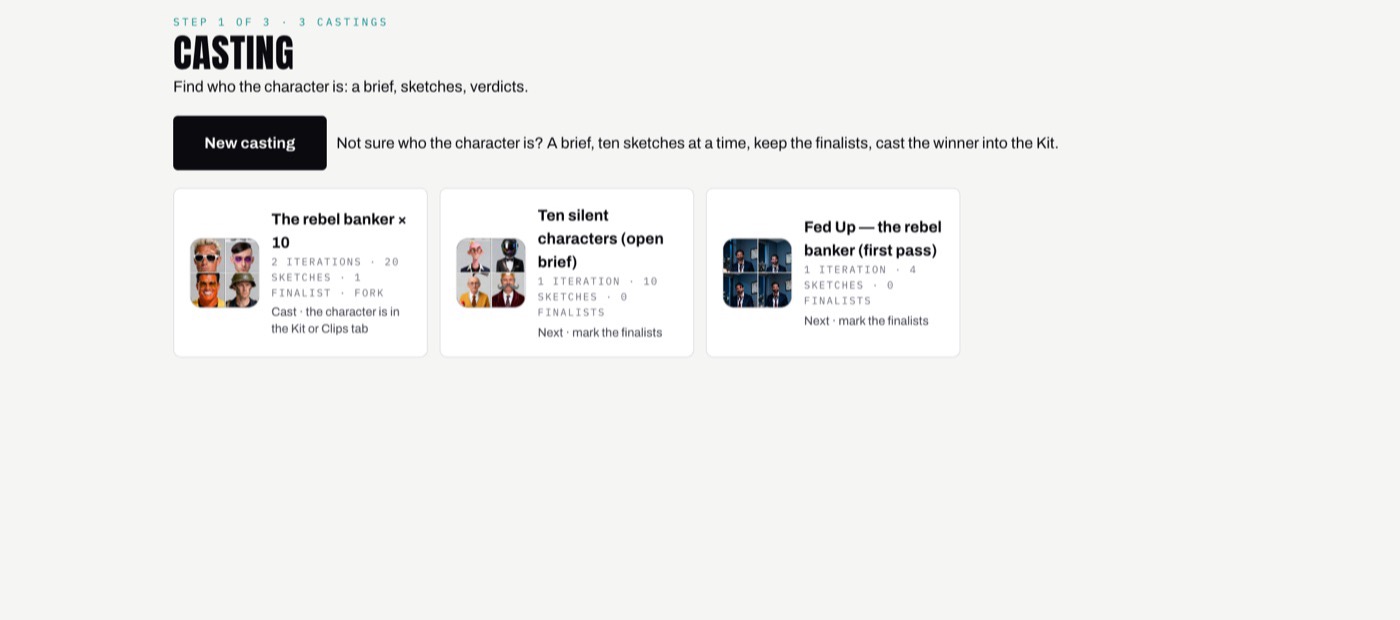
The ProductClank AI creator studio runs the same flow in four stages. Casting finds who the character is: run ten sketches, mark finalists, add one line of feedback, run again, and cast the winner. Kit locks the face, look and rules, with the sheet and the swap test as pass-or-fail gates, its own email address, and its accounts. Clips plans, swaps, posts and measures every clip, with every file stored and a private phone link for posting. Content runs the character's X posts and replies in its own voice.
What it doesn't do: post to TikTok or Instagram for you. That stays on the phone on purpose, because that's where you pick the trending sound.
The studio is invite-only while we run our own characters through it. Join the waitlist, or keep the step-by-step version open while you build: the DIY guide.